Les commandes sont généralement livrées en Canada sous 24 heures, selon le lieu de livraison.
Livraison gratuite vers la Canada pour les commandes de $100 CAD ou plus. Des frais de livraison de $8 CAD seront facturés pour toute commande inférieure à $100 CAD.
DDP (droits et douanes payés par DigiKey)
Compte de crédit pour les institutions et les entreprises qualifiées
Paiement à l'avance par virement bancaire
![]()
![]()
![]()
![]()


Plus de produits de partenaires agréés
Délai moyen de livraison de 1-3 jours, des frais d'expédition supplémentaires peuvent s'appliquer. Veuillez consulter la page produit, le panier ou la commande pour plus d'informations sur le statut d'expédition.
Incoterms : CPT (droits, douanes et TVA/taxes applicables exigibles à la livraison)
Pour plus d'informations, consultez la page Aide et support
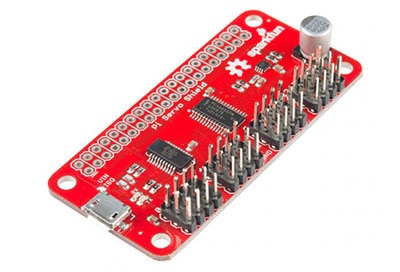
The SparkFun Pi Servo pHAT provides your Raspberry Pi with 16 PWM channels that can be controlled over I2C. These channels are broken out in a header combination that is perfect for connecting servo motors.
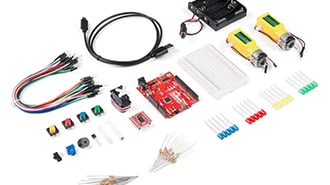
The SparkFun Tinker Kit is your starter tool kit for beginning with embedded electronics, robotics and citizen science using the SparkFun RedBoard Qwiic without breaking the bank. This guide contains all the information you will need to explore the 11 circuits of the Tinker Kit.
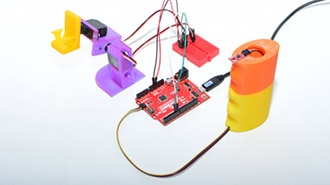
For this project I’m going to be using one of our newer, smaller magnetometer boards to control a pair of servos, and then toss out some ideas to upgrade to a much bigger, cooler project.
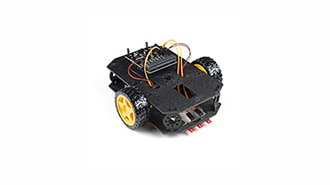
Combining the micro:bit with the SparkFun moto:bit - micro:bit Carrier Board (Qwiic) creates a flexible, low-cost robotics platform for anyone from students getting started with the micro:bit to the engineer looking to quickly prototype or build a proof of concept.
Machine learning has taken the technology world by storm. From smart email categorization to make it easier to sift through your inbox, to ML applications that decipher your handwriting and allow you to deposit checks on your mobile phone, to medical diagnosis like detecting cancer.
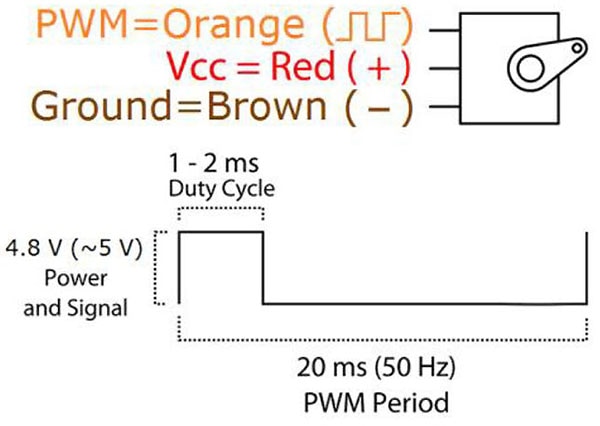
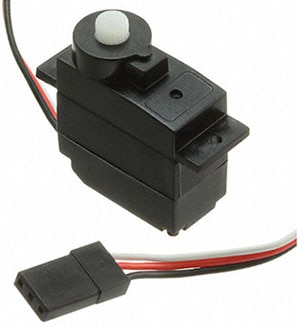
There are several methods one can use to control servo motors with a Raspberry Pi, and this article introduces two of them and explains how servo motors work.
We will cover some basics of controlling servos with code using the Arduino IDE and Python, and provide an example that requires no programming at all.
Driving a servo motor with a microcontroller and using the Arduino IDE to program the movement direction for a rotating shaft for use in creating a moving project.
In this tutorial, we will expand on the SIK for RedBot to control a robot wirelessly with XBee radios!
Check out this distance sensing Halloween prop designed to spook the willies out of trick-or-treaters.
Perhaps you remember an “As Seen on TV” product known as “The Clapper” in the 1980s and 1990s. We’re going to make our own version of this, but instead of controlling any appliance, we will operate a lamp chain using a servo.
Co-Browse
En utilisant la fonction Co-Browse, vous acceptez de permettre à un représentant du support de DigiKey de visualiser votre navigateur à distance. Lorsque la fenêtre Co-Browse s'ouvre, donnez au représentant l'ID de session qui se trouve dans la barre d'outils.
DigiKey respecte votre droit à la vie privée. Pour plus d'informations, veuillez consulter notre Avis de confidentialité et notre Avis relatif aux cookies.
Oui, continuer avec Co-BrowseMerci.
Gardez un œil sur votre boîte de réception pour être informé des dernières nouvelles et mises à jour de DigiKey !
Veuillez entrer une adresse e-mail
Veuillez cocher la case