Les commandes sont généralement livrées en Canada sous 24 heures, selon le lieu de livraison.
Livraison gratuite vers la Canada pour les commandes de $100 CAD ou plus. Des frais de livraison de $8 CAD seront facturés pour toute commande inférieure à $100 CAD.
DDP (droits et douanes payés par DigiKey)
Compte de crédit pour les institutions et les entreprises qualifiées
Paiement à l'avance par virement bancaire
![]()
![]()
![]()
![]()


Plus de produits de partenaires agréés
Délai moyen de livraison de 1-3 jours, des frais d'expédition supplémentaires peuvent s'appliquer. Veuillez consulter la page produit, le panier ou la commande pour plus d'informations sur le statut d'expédition.
Incoterms : CPT (droits, douanes et TVA/taxes applicables exigibles à la livraison)
Pour plus d'informations, consultez la page Aide et support
In this tutorial, we’ll demonstrate how to set up a communication channel between a ROS 2 node running on a Raspberry Pi and an Arduino-compatible microcontroller to control a simple robot.
In this tutorial, we take the next step and create a complete system using both TF2 broadcasters and listeners.
In this tutorial, we begin working with TF2, the ROS 2 library that handles coordinate transformations.
In this tutorial, we’ll explore how ROS 2 launch files simplify node orchestration.
In this tutorial, we'll explore how to use parameters in ROS 2 to dynamically configure nodes.
In this episode, we’ll go one step further by creating and using custom interfaces in both Python and C++. You’ll learn how to define your own message and service types and use them in publisher/subscriber and client/server architectures.
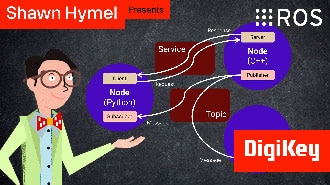
In this tutorial, we will see how services work by creating a custom server and client in C++ ROS nodes.
In this tutorial, we will see how services work by creating a custom server and client in Python ROS nodes.
In this tutorial, we’ll walk through how to write ROS 2 nodes in C++ that communicate using the publish/subscribe model.
This tutorial will walk you through creating a publisher and subscriber from scratch using ROS 2’s Python client library, rclpy.
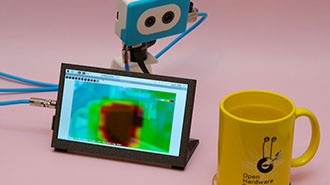
This project fuses the Raspberry Pi's camera feed with a thermal graphic overlay.
In this tutorial, we’ll dive into one of the most essential parts of working with ROS 2: the command-line interface (CLI). Before writing any code, it’s important to understand the basic tools that ROS 2 provides for exploring, debugging, and interacting with nodes, topics, and services.
Co-Browse
En utilisant la fonction Co-Browse, vous acceptez de permettre à un représentant du support de DigiKey de visualiser votre navigateur à distance. Lorsque la fenêtre Co-Browse s'ouvre, donnez au représentant l'ID de session qui se trouve dans la barre d'outils.
DigiKey respecte votre droit à la vie privée. Pour plus d'informations, veuillez consulter notre Avis de confidentialité et notre Avis relatif aux cookies.
Oui, continuer avec Co-BrowseMerci.
Gardez un œil sur votre boîte de réception pour être informé des dernières nouvelles et mises à jour de DigiKey !
Veuillez entrer une adresse e-mail
Veuillez cocher la case